
Home About Roles Expertise Career Speaking Apps Connect
rishin.kalra@gmail.com
Apps / Windowside

Windowside

Know what's outside your plane window.

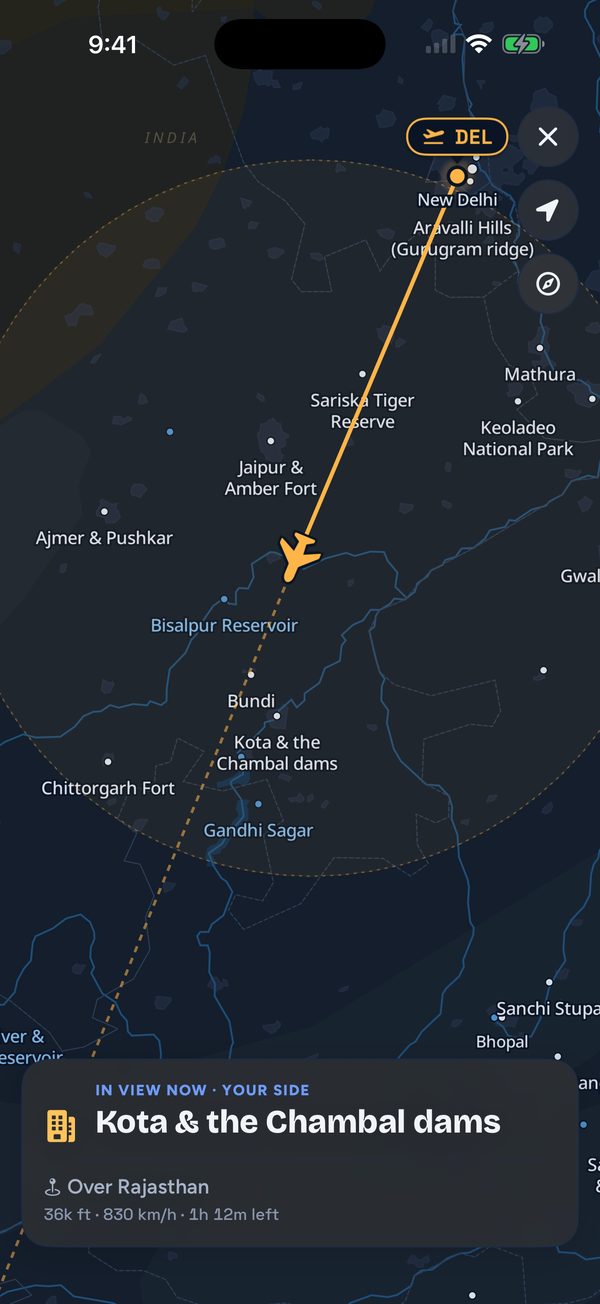
Windowside follows your flight from your phone's GPS and tells you what you're flying over and which side to look. No internet needed in the air.

Download on theApp Store

Free for iPhone. No account, and your location never leaves your phone.

One flight, from the gate to the descent.

Pick your flight and your seat before you board. In the air, Windowside tells you when a city, a river, a mountain range, a lake, a fort or a national park comes into view on your side, each with a short story. Thousands of places are covered worldwide, with detailed guides for flights over India.

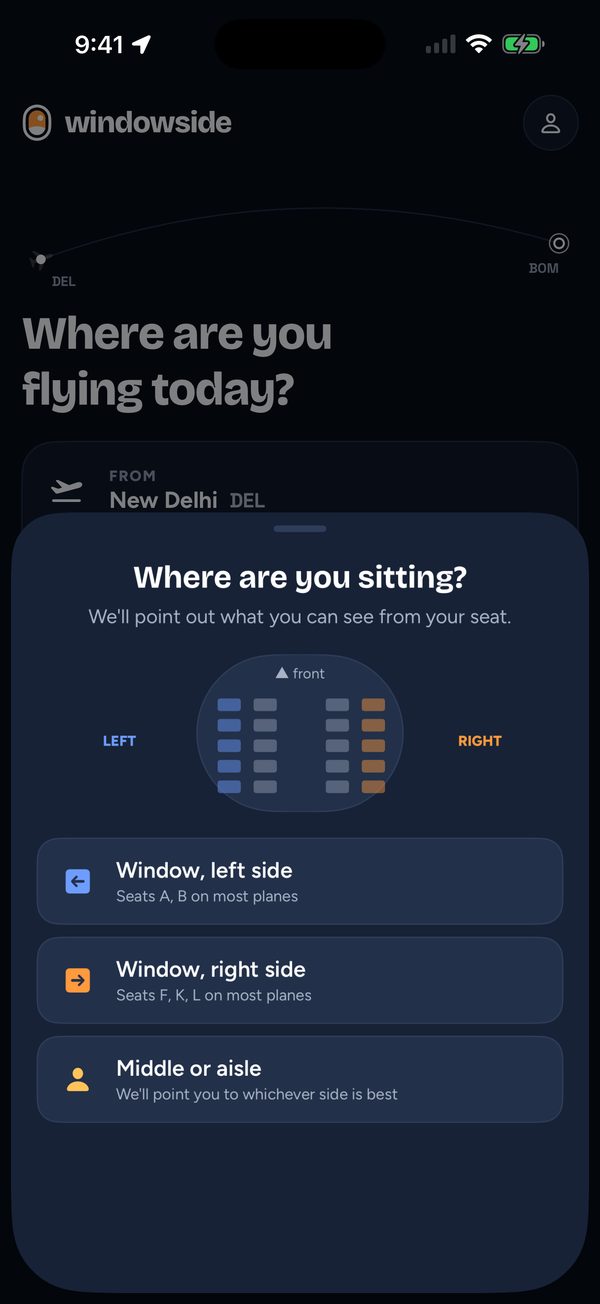
At the gatePick your seat

Pick your seat

Left window, right window or aisle. Windowside works out what you'll be able to see.

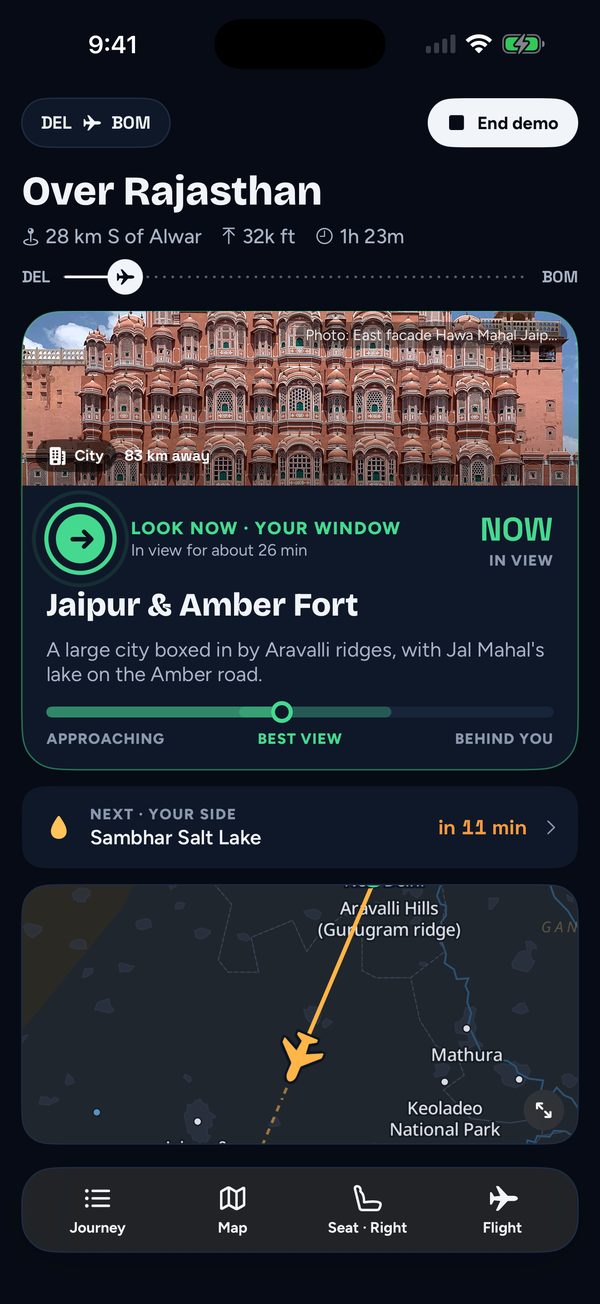
CruisingLook now, on your side

Look now, on your side

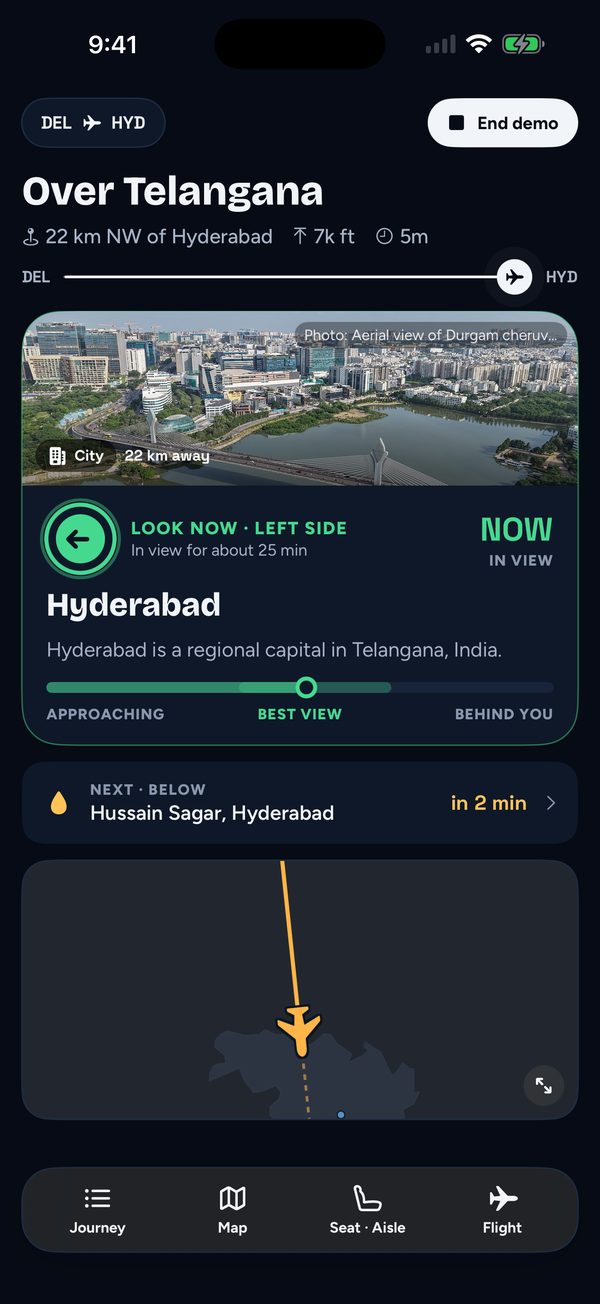
When something worth seeing comes into view on your side, a card tells you where to look.

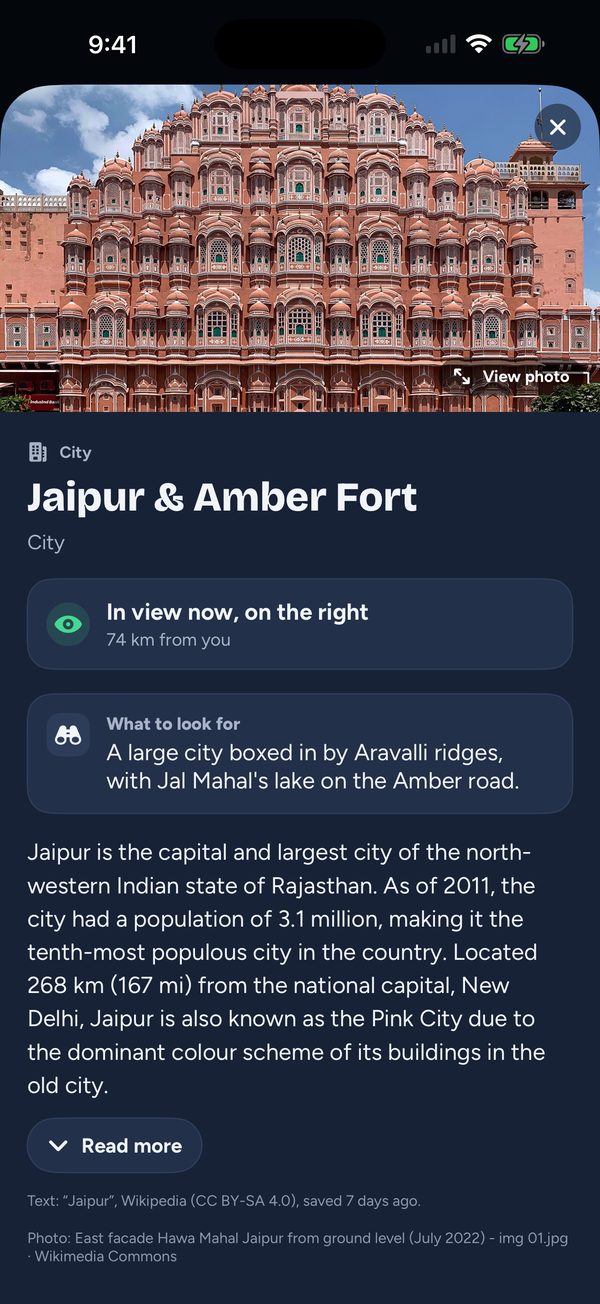
CruisingThe story behind it

The story behind it

Tap for a photo and a short introduction, saved before you took off.

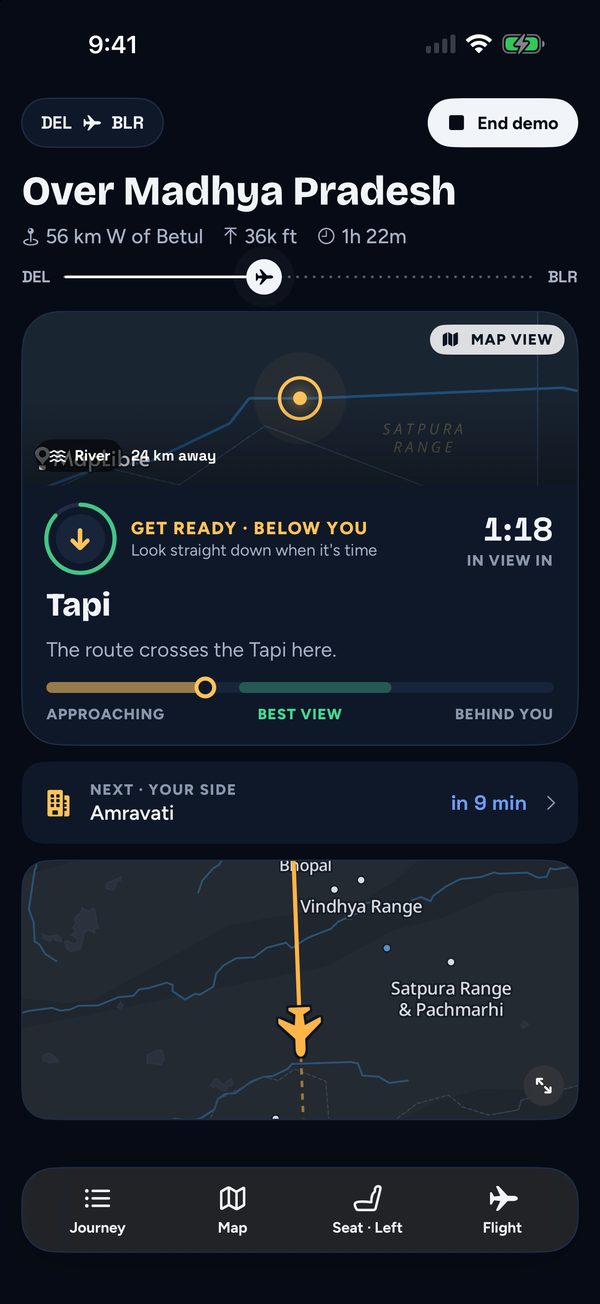
CruisingRight below you

Right below you

River crossings and landmarks under the plane, with a countdown.

Any timeThe whole route

The whole route

Every sight along the way on one map, with your real path drawn as you fly.

DescentYour arrival city

Your arrival city

The last sights before landing, until the wheels touch down.

Built for 36,000 feet, with no signal.

Works in airplane mode

The map and stories are saved on your phone before you fly. GPS works without a phone signal.

Knows your side of the plane

It points you only to sights you can actually see from your seat.

Where you are, live

The region below, the nearest town, your altitude and the time to landing.

On your Lock Screen

Follow the flight on the Lock Screen and in the Dynamic Island, and get a nudge when it's time to look.

Follows your real path

If the plane takes a different route or diverts, Windowside redraws the journey from where you really are.

Ready before you board

A short checklist so the GPS locks on quickly in the air, and help if the signal drops.

On every flight I'd wonder where we'd reached, and whether there was something interesting down there. I couldn't find a good tool for it, so I built one.Rishin Kalra

Born on a lot of flights

Rishin travels a lot for work. On flight after flight he found himself staring out of the window, wondering where the plane had reached and what he was looking at: a city, a river, a range of hills he couldn't name.

Travel had taken him to many of these places on the ground, which made the question more tempting. But nothing he tried could answer it at 36,000 feet, with no signal, for the side of the plane he was actually sitting on. So he built Windowside.

WindowsideBoarding pass
GATEBefore you board
VIEWYour window seat
Fare
Free
Device
iPhone
Seat
Left, right or aisle
Category
Travel
Age rating
4+
Data collected
None

Download it before your next flight, so the map and stories are already on your phone.

Download on theApp Store
An Android version is in testing.Also by Rishin: Peekaboo: Baby Play, a first app for toddlers